
JitterNotes is open to everyone at jitternotes.com. It’s a brew journal for people who care about the cup: what you brewed, how you brewed it, and how it tasted.
I built it because my own notes were spread across notes apps, a very cumbersome spreadsheet, and my memory. I could never remember which grind got that Ethiopian to really pop, why the same beans tasted flat a week later, and which coffees we absolutely wanted to make sure not to get again. Getting better at brewing means changing one thing at a time and remembering what happened. JitterNotes is the notebook I wanted for that.
I’ve been using it every day for months and now I’m ready to open it up, so this is the first proper introduction.
What JitterNotes does
JitterNotes is organized around two questions: what coffee do you have, and what are you doing with it?
The coffees that we have:
- Roasters: the companies you buy from. This list is shared by every user, so when someone adds a roaster, everyone can pick it. Add a website and JitterNotes fetches the roaster’s logo for you.
- Offerings: the specific products each roaster sells. You can capture single origins or blends. With a single-origin coffee, you can capture the country, region, farm, altitude, process and varietals. Blends are made up of component coffees and how much of the blend each makes up.
- Bags: the offerings that you have purchased. Each bag records its size, roast date, price and rating, and moves from unopened to open to finished, or given away.
And how we enjoy them:
- Brew Sessions: one record per cup or batch. You note the method, grind, dose, water, yield, time, and how it tasted.
- Recipes: your go-to starting points, saved with the grinder you use, ready to load into a new brew.
Your dashboard shows the bags you have on hand. Each one has a Start Brewbutton that opens a new brew with that bag already picked.
Features I think you’ll love
Fields that fit your method of brewing
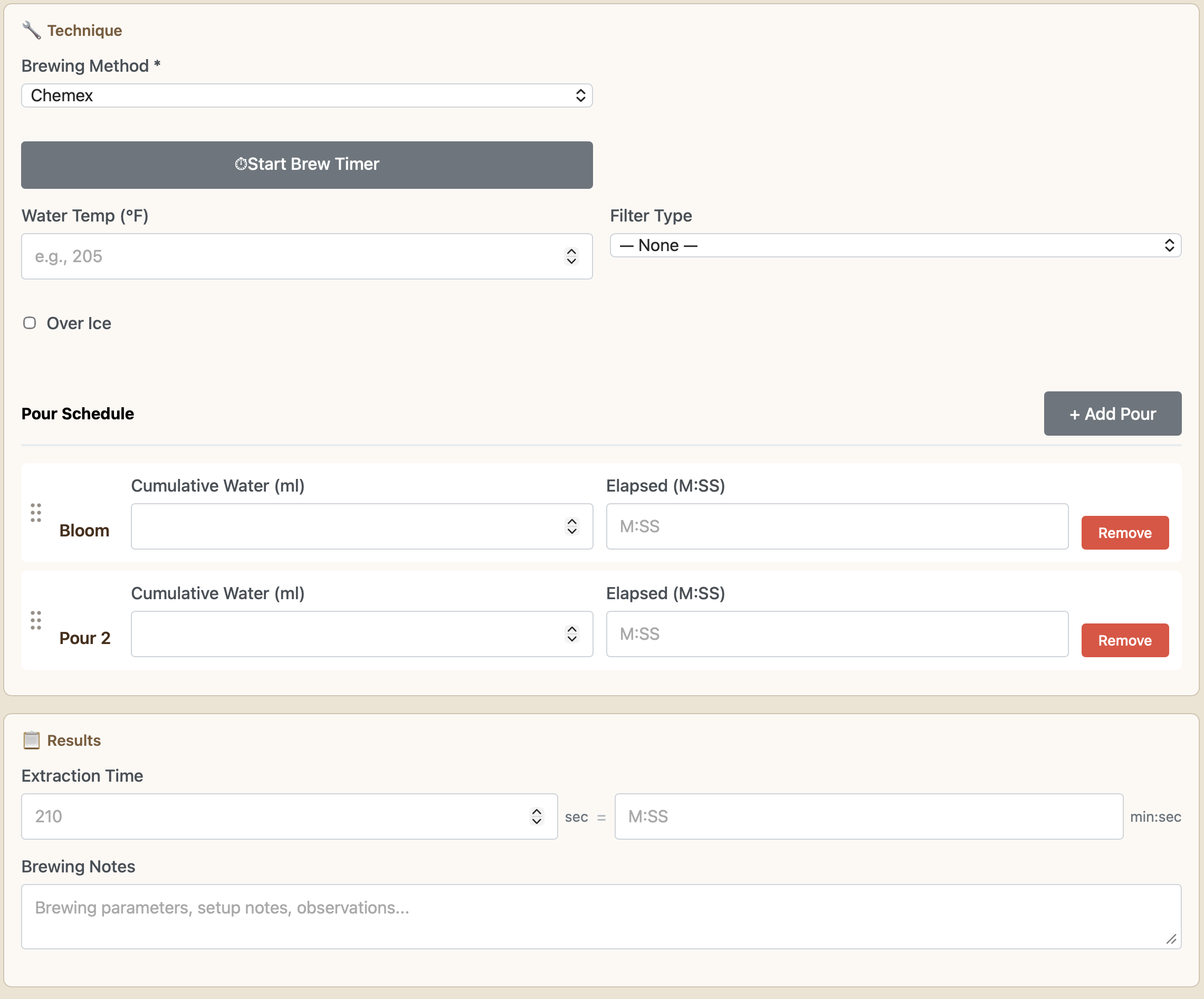
Every brew records the same basics: grind size, dose, water, yield and extraction time, plus an automatic brew ratio calculated for you. Pick a method and JitterNotes provides the data points that matter for that kind of brewer:
- Pour over: water temperature, filter type, flash brewing over ice, and a full pour schedule from the bloom to the final pour.
- Immersion: an agitation schedule, press method and plunge time.
- Espresso: pre-infusion, peak pressure and puck prep.
- Cold brew: steep setup, drip rate and dilution, with steep time in hours, not seconds.
- Automatic makers and stovetop: the settings those machines actually have.
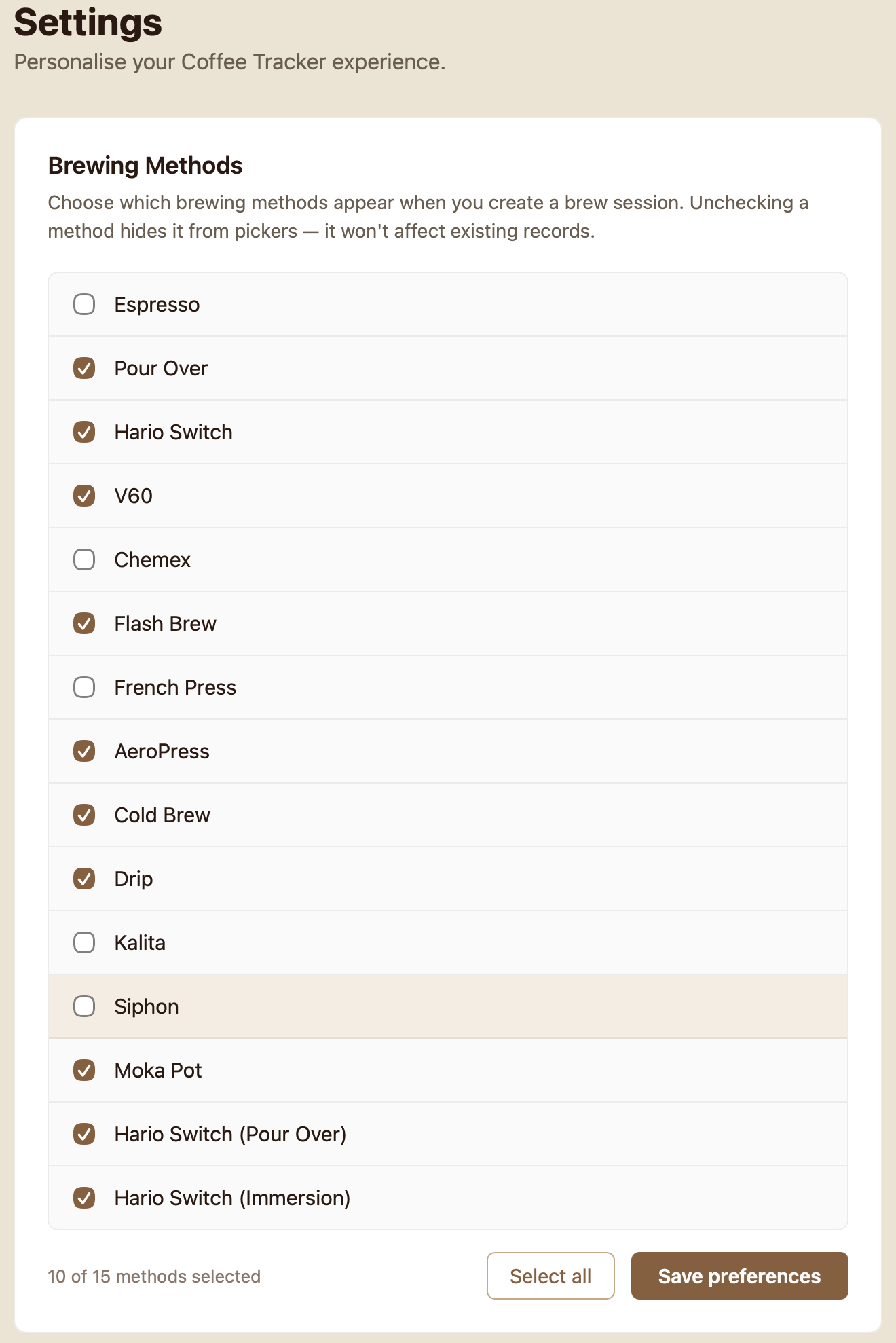
You can choose to only see the brewers you use by hiding the others in your personal settings.
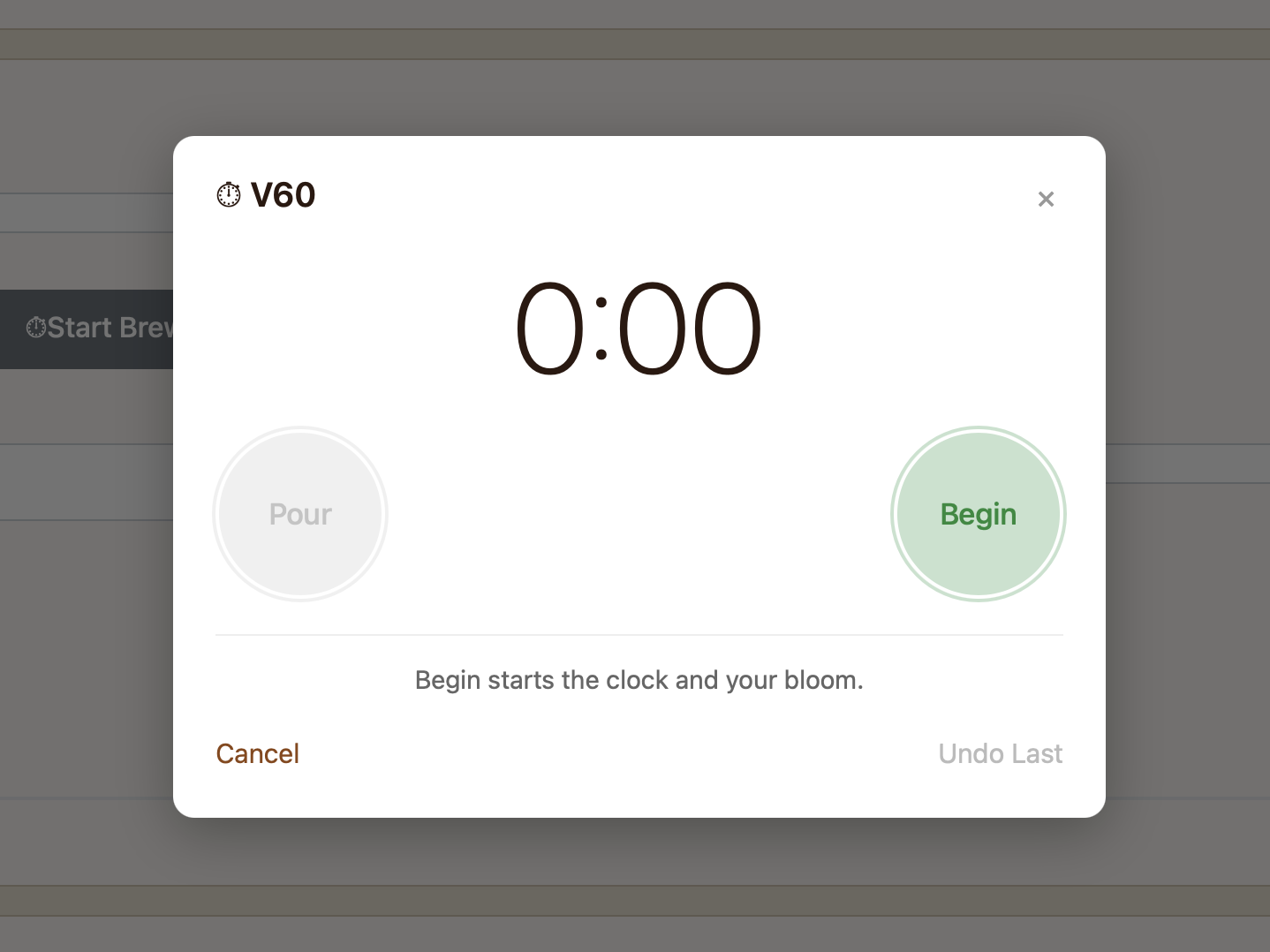
A Brew Timer built for brewing
The newest feature is also my favorite. Start the Brew Timer from the brew form and tap once for each pour, or each stir if you’re brewing immersion. When you finish, your pour schedule and extraction time are filled in. No more typing timings from memory after the cup is gone. The timer also keeps your screen awake while you brew.
Tasting notes, solo or shared
Tasting notes go beyond “it was good.” Record flavor descriptors, aroma, acidity, body, sweetness, aftertaste and an overall rating. Brewing for friends? Add several tasters to one brew, each with their own notes, and compare what everyone tasted.
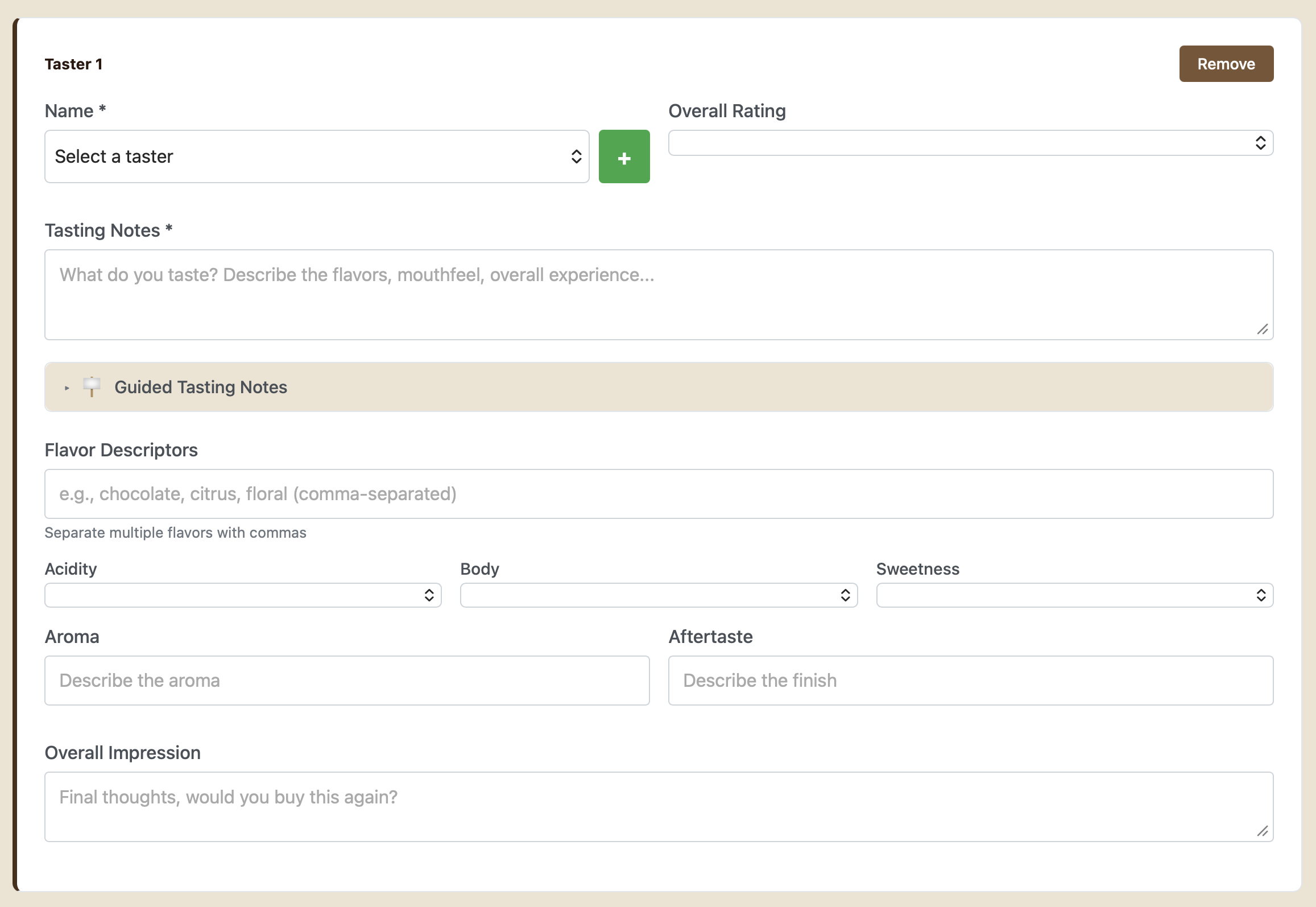
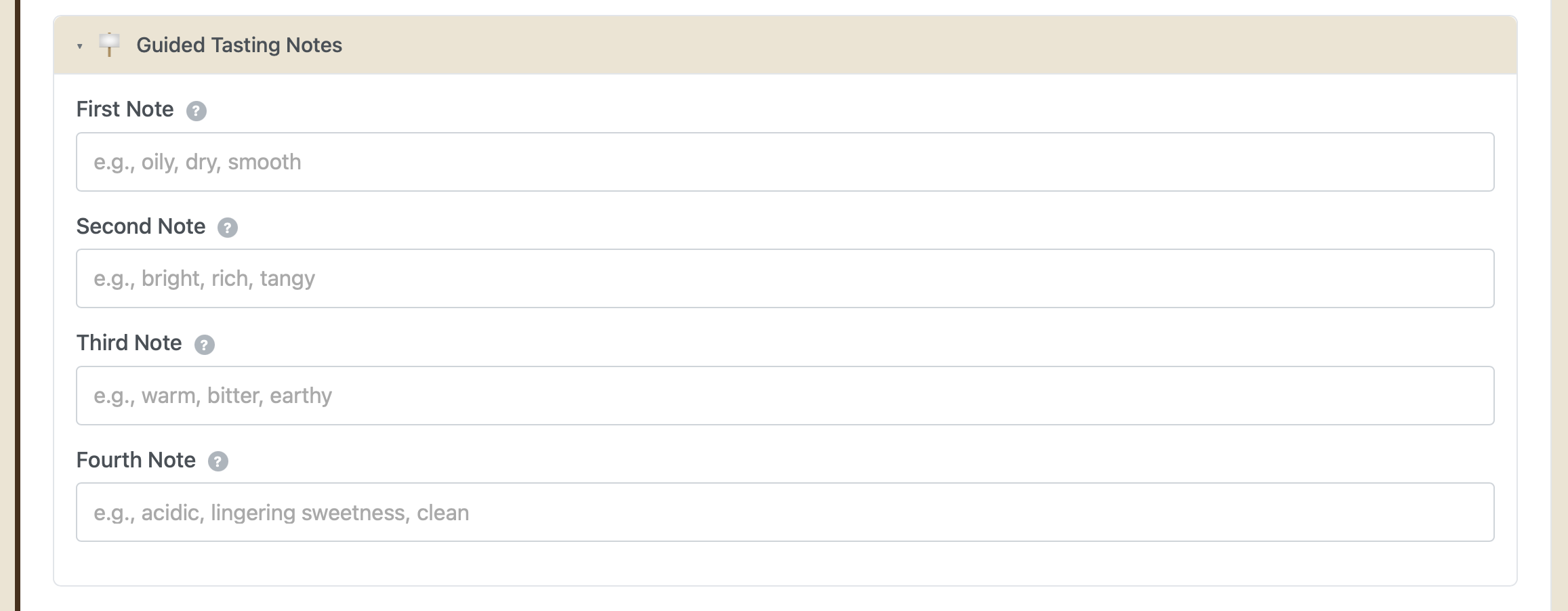
There is also a guided tasting note experience based on how my wife describes how she tastes coffee. She refers to them as notes (1 through 4), which is a big inspiration for the name of this tool. It can serve as a way to capture how the coffee changes from sip to swallow.
Brew it again, or change one thing
Found a great cup? Duplicate the brew to start a new one with the same method, grind, dose, water and technique. Change one thing, then compare the results. Save your favorite setups as Recipes to load in one click.
Coffee you didn’t brew yourself
Not every great cup comes from your own kitchen. Log café visits and samples without a bag, add where you had them, and link them to the coffee if it’s in the catalog.
No passwords
You sign in with a passkey: Face ID, Touch ID, your phone, or a security key. There’s no password to remember, reuse, or leak.
You can shape what’s next
Every screen has a Feedback button that sends your note straight to me. When something new is added, a What’s New window shows you on your next visit.
Start your coffee journal
Sign up at jitternotes.com with your email and a passkey. It takes about a minute. Then add the bag you’re drinking now and log your next cup.
It’s early days, so tell me what works, what doesn’t and what you wish it did. The Feedback button comes straight to me. Feedback is a gift so please don’t hesitate to tell me what you wish this could do.
Happy brewing!


Leave a Reply